



Smart AI Categorization
No more guessing or manual sorting. Our intelligent AI understands each expense in context and automatically matches it to the right category — fast, accurate, and tailored to you.
Built-in Compliance
Keep your expense categories consistent across your entire team. No more messy variations or different people tagging the same item differently.
Fully Flexible & Customizable
You're always in the driver’s seat. Define your own categories or sync them from your accounting tool — our AI adapts and learns your setup, so it works exactly the way you want.
ExpenseMonkey’s AI analyzes each expense with human-like understanding — scanning merchant names, line items, currencies, and even notes.
Whether it’s a taxi ride to a client meeting or a SaaS renewal buried in a multi-page invoice, it picks up on the nuance.

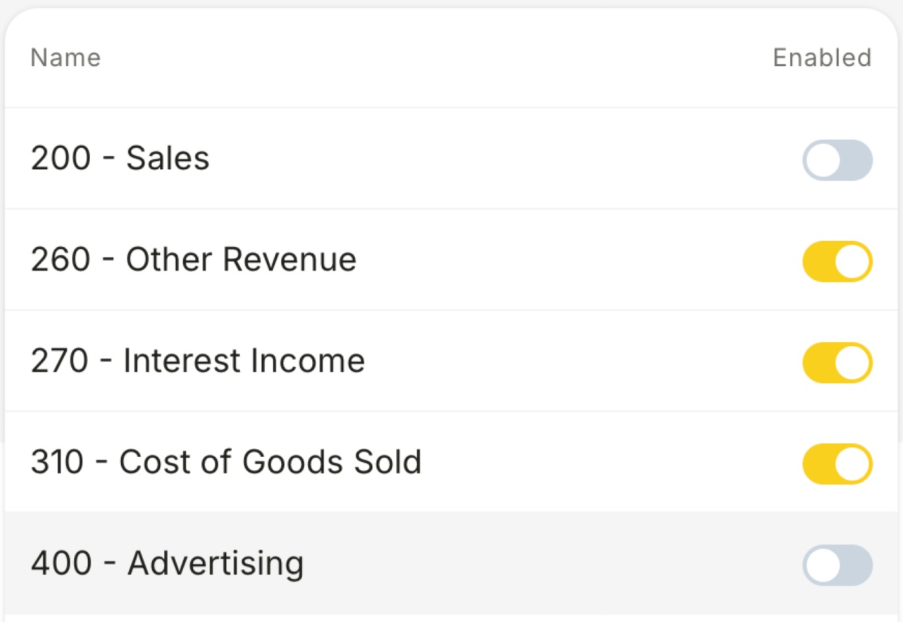
We don’t make you adapt to our structure — we adapt to yours.
Use your existing chart of accounts or cost categories
Map vendor types to your preferred internal codes
Keep tax, team, and project reporting aligned across tools
When multiple people submit expenses, things can get messy fast. With ExpenseMonkey, the AI ensures everything is categorized the same way — no matter who uploaded the receipt or from which location.
The system removes the guesswork from expense submissions and eliminates errors caused by inconsistent inputs

ExpenseMonkey uses AI to analyze each expense based on vendor name, context, amount, and even receipt details. It then matches the expense to your custom categories — the way you would tag it manually, but automatically.
Yes! You can create your own categories, import an existing chart of accounts, or sync them from your accounting tool. Our system learns your structure and sticks to it.
You can easily adjust the category on any expense. And when you do, our system learns from it — getting smarter and more accurate over time.
Absolutely. No matter who submits the receipt, our AI applies the same rules across your team — ensuring consistent, clean data and saving time on manual review.
Yes — Smart Categorization is available on the free plan, but with a monthly usage limit. You’ll be able to auto-categorize a set number of expenses each month. To unlock unlimited usage and advanced features, you can upgrade to the Pro plan anytime.
No — your data is never used to train the underlying global AI model. However, our system learns from your categorization preferences privately, within your own account, to improve accuracy over time. This personalized learning stays isolated and secure, and we fully comply with GDPR and other privacy standards.
Let our AI do the sorting — so you can focus on running your business.
